AI Chat
Learn how to use Omma's AI chat interface to create and iterate on projects.
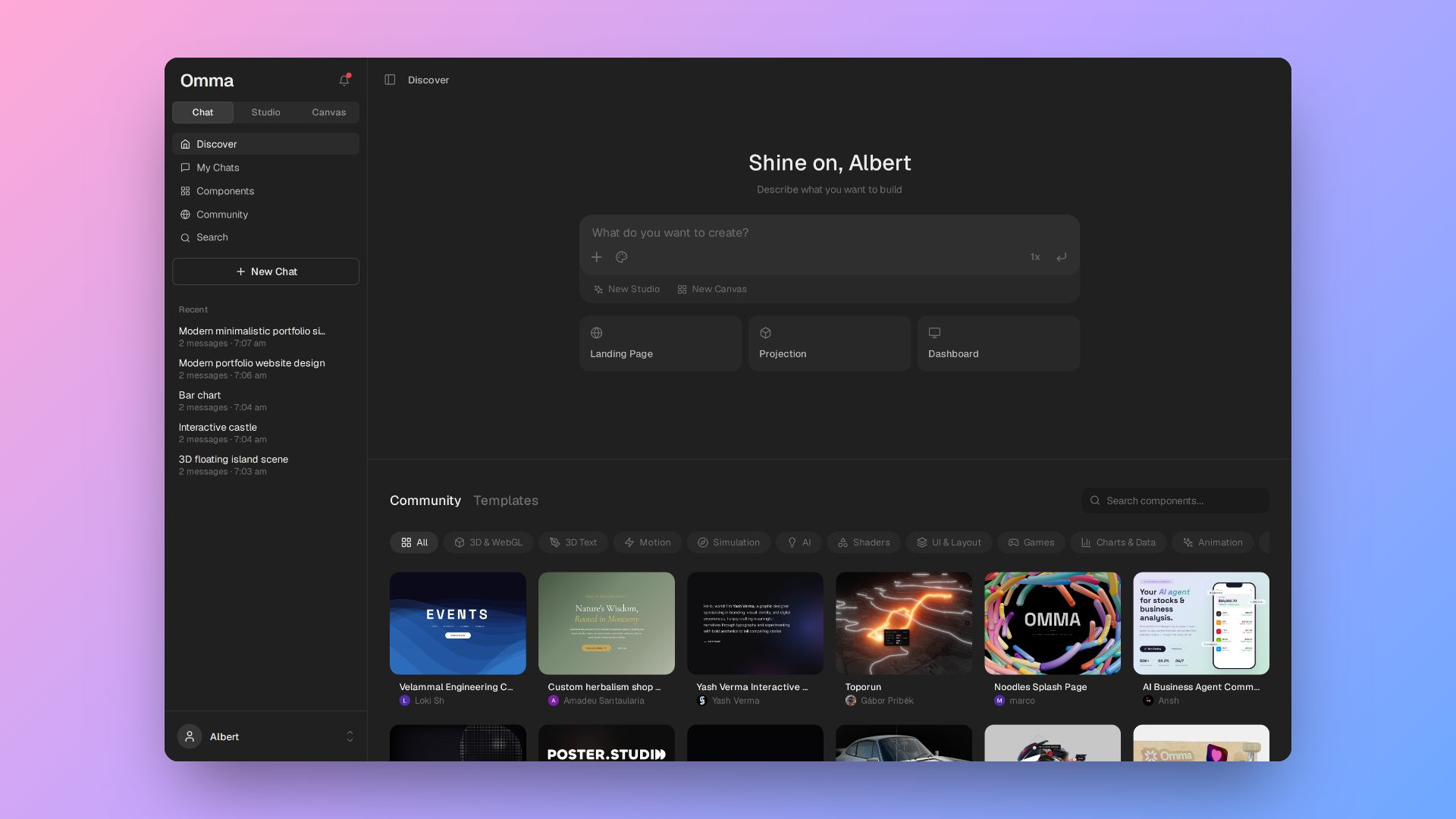
AI Chat Interface#
The AI chat is the primary way to interact with Omma. You describe what you want in natural language, and the AI generates the code to make it happen.
How It Works#
Omma's chat uses AI that understands:
- HTML/CSS/JS web development (including React/JSX)
- 3D scene construction
- Design principles and best practices
- Game development patterns
Streaming Responses#
Responses stream in real-time. As the AI generates code, you'll see:
- Status updates about what's being created
- Code appearing in the editor
- The live preview updating
Context-Aware Conversations#
Each chat maintains a conversation history, so the AI remembers what you've discussed. You can reference previous messages and iterate on your project:
User: Build a landing page for a coffee shop
AI: [generates a responsive page with a hero, menu, and footer]

User: Make the hero full-screen and add a sticky nav
AI: [updates the layout]

User: Now add a contact form with validation
AI: [adds the form and client-side validation]
Special Commands#
Image Generation#
Use the /image command to generate images:
/image a serene mountain landscape at dawn with fog rolling through valleys
Images are generated using AI and can be used as textures in your 3D scenes or as standalone assets.
3D Model Generation#
Describe a 3D object to generate a 3D model:
Generate a 3D model of a stylized treasure chest
Models are automatically optimized for web performance.
Tips for Better Results#
Be specific about what you want. The more detail you provide, the better the results.
- Be descriptive — Instead of "make a page", say "create a landing page with a bold hero, a three-column feature grid, and a dark theme with a teal accent"
- Specify the details that matter — For sites: layout, typography, colors, and responsiveness. For 3D: materials ("metallic", "glass"), lighting ("ambient", "spotlight"), and animation.
- Iterate step by step — Start with a basic version and add complexity through conversation
- Reference the code — You can ask the AI to modify specific parts: "change the button on line 45 to use a gradient"
- Use design language — Terms like "minimalist", "retro", "futuristic", "organic" help guide the aesthetic
Code Types#
Omma supports multiple code types:
| Code Type | Description | Preview |
|---|---|---|
html | HTML with embedded CSS/JS | Web page rendering |
jsx | React components | Component rendering |
javascript | 3D scenes | Live 3D rendering |
The code type is automatically determined based on your request, but you can explicitly request a specific type.
Quality Assurance#
Omma ensures consistent quality and follows best practices for:
- Responsive web design and accessible markup
- Component structure and state management
- Animation and interaction patterns
- 3D scene setup, materials, and lighting
- Interactive controls